
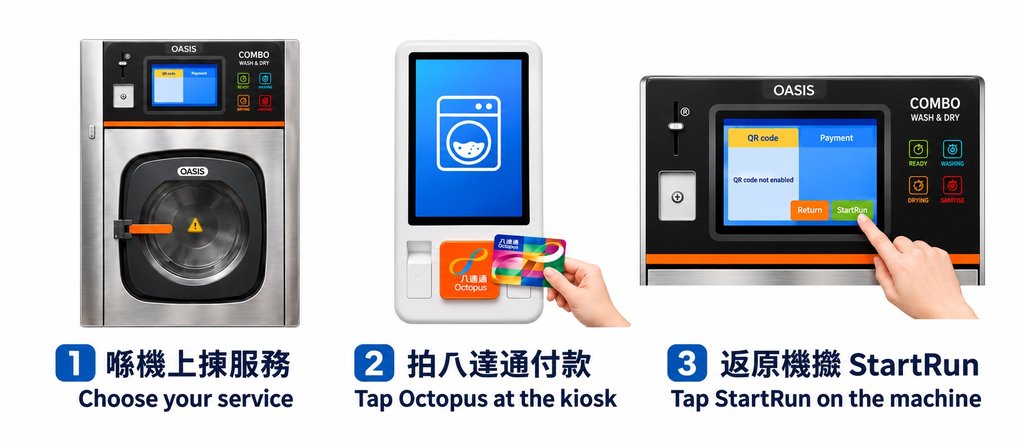
1. Load and choose your service. Empty your pockets and check the drum. If you want the Dettol drum clean, use it on a machine offering that option while the drum is empty. After it finishes, load, close the door and select wash-only, dry-only or all-in-one. Match the heat to the care label and note your machine number.
2. Pay at the kiosk. Match the number, programme, time and price. If you have an eligible voucher, enter your mobile number and select it before payment. Check the adjusted price, then follow the screen to pay with Octopus.
3. Return to the same machine. On the Oasis combo shown here, tap the green StartRun button at the lower right of the touchscreen and check that the countdown starts. An all-in-one programme moves straight into drying. At collection, check the door seal and the back of the drum for small socks.
If you’ve paid and the cycle hasn’t started, check the machine number and door. Keep your payment record and contact the shop support channel with the branch, machine number and time.


 Successfully copied blog link!!